3. 6. Conducting medicamentous testing.
To conduct “medicamentous testing”. The image that will appear on your screen will look somewhat alike with the image of “Diagnostics” but with some differences. You will see a list of devices that are recommended for a particular point (this list can be edited if you click on “Devices”). Also a new button will appear – “Add to prescription”.

The results of the measurements are visible in the number fields but are not entered in the table.
Clicking on the “Add to prescription” will record the marked devices in the medical card. The marked devices will be highlighted with blue color. To mark a device, click on it with the left button of the mouse.
In this measurement mode it is possible to switch to medicamentous vegetative testing "VEGA", The following is the image that will appear on your screen.
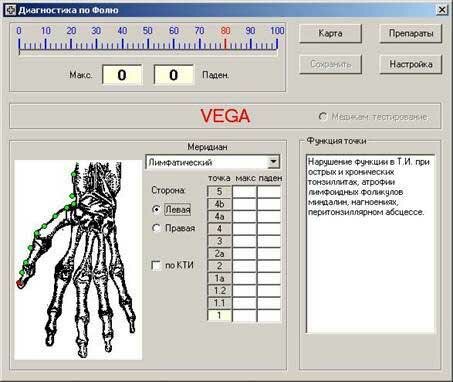
The “Save”” button is not available in these modes.
This mode differs from the mode of medicamentous testing only by the extended scale (50->~80), that allows you to see the result of selecting the medicinal means more graphically.
|